How to Track Water Intake Without Turning It Into a Spreadsheet
To track water intake, pick a realistic daily goal, log each drink the moment you have it (coffee and tea included), and check your total once or twice a day. A marked bottle, a paper log, Apple Health or a water app can all do the job. The tool matters far less than when you log.
This guide covers how to track water intake five different ways, what each method is good for, and a full walkthrough in Water Goose. It also covers the part most guides skip: when to stop.
What tracking water intake is actually for
Tracking water intake is a short experiment, not a test you pass. The goal is to notice patterns you cannot see from memory. Think of the afternoon where nothing gets drunk, the weekend that looks nothing like the week, or the "water" that turns out to be three coffees.
Most people guess their intake badly. A glass at lunch feels like a lot, and the bottle that sat on the desk all day feels finished. Writing it down, even roughly, swaps that guess for a number.
That number only needs to be good enough to compare one day with the next. General advice sits in a wide band: the NHS guide to water and drinks suggests 6 to 8 cups or glasses of fluid a day. If you want the story behind that figure, see where the 8 glasses of water a day rule comes from.
Two or three weeks of water tracking is usually enough. By then the pattern is clear, and you know whether anything needs to change. Hydration tracking works best as a flashlight, not a scoreboard.
Five ways to track water intake, and what each is good for
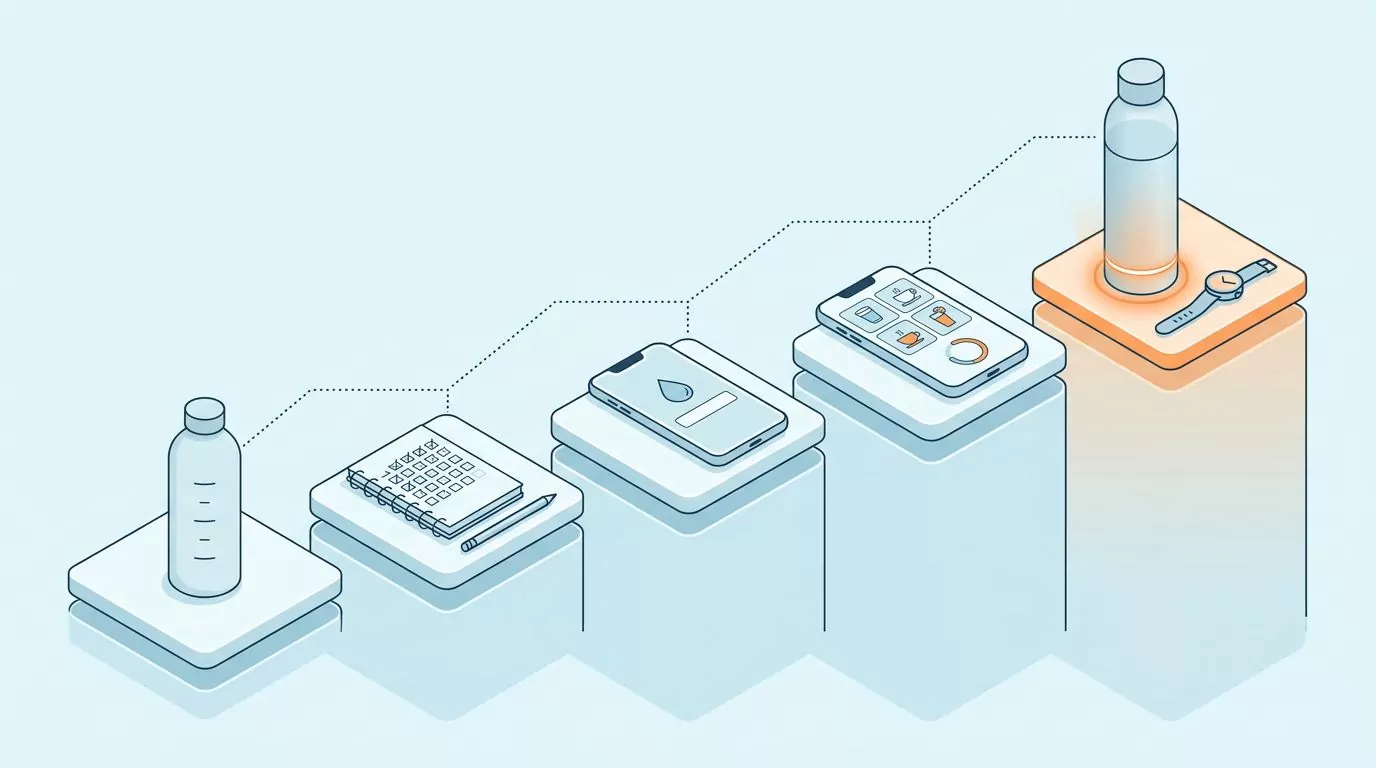
There is no single best answer to how to keep track of water intake. The right method is the one you will still use on a busy Thursday. Some take zero setup and miss half your drinks, while others catch more but cost money or a new habit of charging a bottle.
Here are the five options people actually use, from the lightest to the heaviest. Each gets a short, honest take on who it suits and where it breaks. A side by side table follows.
Marks on a bottle
Draw lines on a reusable bottle, one for each hour or each refill, and drink down to the next line. It takes zero setup and suits anyone who carries one bottle all day, at a desk or on a shift. It breaks the moment you buy a coffee, drink from a cafe cup or lose count of refills, and with no history, patterns across a week stay hidden.
A paper log or a phone note
A notebook page or a note on your phone is the oldest answer to how to log water intake. Jot a time and an amount after each drink, or print a sheet from the Printable Water Tracker page. It is fine for a short experiment, but coffee and soup tend to go unrecorded, and nobody adds up old pages to compare weeks.
Apple Health's water entry
Your iPhone already has a place to log water: the Health app lets you add a water amount by hand under Nutrition. It is private, already installed and costs nothing extra, which makes it a good trial run. The catch is that it sits several taps deep, logs plain water only, and has no reminders (Apple's guide to managing and adding Health data shows the steps).
A dedicated water app
A water tracking app is the fastest option per drink. Most let you pick coffee, tea or juice as easily as water, keep a history without any adding up, and offer reminders. The trade-off is one more app on your phone and, often, streak badges, cartoon rewards and upsells that turn a simple habit into a game you did not ask to play.
A smart bottle or wearable
Smart bottles such as HidrateSpark sense sips from that bottle and glow as a reminder, and Garmin watches let you log cups from your wrist. They suit people who already enjoy gadgets. For everyone else, it is real money and another device to charge for a habit a single tap can build, and neither one knows about the tea you had at a friend's house.
| Method | Setup effort | Non-water drinks | History | Reminders | Cost |
|---|---|---|---|---|---|
| Marks on a bottle | None | Not tracked | None | Only the bottle itself | Nothing extra |
| Paper log or phone note | Low | Only if you write them down | Pages you add up by hand | None | Nothing extra |
| Apple Health water entry | Low, already on your iPhone | Water only | Built in | None | Nothing extra |
| Dedicated water app | Low, one install | Usually many presets | Kept for you | Usually optional | Varies by app: free, freemium or paid |
| Smart bottle or wearable | High: buy, charge, pair | Only what you log by hand | In the companion app | Glow or buzz alerts | Paid hardware |
How to track water intake in Water Goose
Water Goose is a water tracking app for iPhone built around one job: logging drinks quickly and showing a plain history. There are no badges, leaderboards or friends lists, and your entries stay on your phone. The five steps below cover setup and daily use, and one real day's log at the end shows what the numbers look like in practice.
1. Pick a goal you can actually hit
During onboarding, Water Goose asks for your age, height, weight and gender, then suggests a starting daily goal. Treat that as a general wellness starting point, not a prescription. You can change it to any goal you like and pick metric (ml) or US (fl oz) units, which then stay the same across the app.
A goal you hit four days out of five teaches you more than a big one you miss every day, and a bigger number is not always better (see how much water is too much). Mayo Clinic notes that fluid needs vary with activity, climate and overall health. For a second opinion on the number, try the Water Intake Calculator.
2. Quick-add a drink and an amount
Logging is three moves: tap the drink, choose the amount, confirm. That is the whole flow, and it takes a few seconds once your usual sizes are familiar. The daily view then shows your total so far, your goal, and a ring that fills as the day goes on.
Log right after the drink, not at the end of the day. Evening recall is where tracking goes wrong: the morning bottle gets counted twice and the meeting room glass not at all. If a cup size is odd, round it, because a log that is roughly right every day beats one that is exact on Mondays only.
3. Log the drinks that are not water
Plenty of daily fluid arrives as something other than plain water. Water Goose has presets for water, sparkling water, coffee, tea, juice, smoothies, milk, coconut water, sports drinks, lemonade, soda, energy drinks and soup. You log each one exactly the way you log water.
Logging a drink as what it is keeps your history honest. A day of three coffees and a sparkling water looks very different from a day of four glasses of tap water, even at the same total. If you wonder whether the fizzy one counts, see does sparkling water hydrate you, and for a wider view, The Most Hydrating Drinks, Measured Against Water.
4. Read the history calendar
The history view is a calendar. Each day shows its total and whether you met your goal. It also shows consistency and streaks, so a steady run is easy to spot without complex charts to decode.
Glance at it once a week rather than every evening, and look for shape, not scores. Which weekdays land short? Do weekends drop off, and does a busy week at work show up as a run of low days?
Your entries, goal and history are stored on your device, and no account is needed. That makes the calendar a private record you can read honestly, with nobody else keeping score.
5. Turn on reminders only if you want them
Reminders are optional. If you want them, you choose your active hours and how often you get a nudge, then allow notifications, and the reminders are scheduled locally on your device. Keep the active hours to the part of the day when you are usually near a drink.
Many people track fine without them, especially once logging is tied to a cue (more on that below). If you do use them, fewer tend to work better than many, and how to remember to drink water explains why hourly alerts fade. For a nudge outside the app, there is also the Online Water Reminder.
A worked example: one ordinary weekday
Here is a plain weekday with a goal of 2,000 ml (about 68 fl oz). Each drink was logged the moment it was finished.
- 8 am, coffee: a 250 ml mug. The ring fills about an eighth of the way.
- 10:30 am, water at the desk: a 500 ml bottle. The total reaches 750 ml.
- 12:30 pm, soup at lunch: a 300 ml bowl, logged as soup. The total reaches 1,050 ml.
- 4 pm, tea: a 250 ml cup. The total reaches 1,300 ml, about two thirds of the ring.
By evening, a large glass of water with dinner (450 ml) and a sparkling water later on (250 ml) close the ring at 2,000 ml. In the history calendar, that day shows its total and counts as a day that met the goal.
The calendar says the goal was met, but the log tells you something more useful. Nothing was logged between lunch and 4 pm, and over a third of the day's fluid arrived after 6 pm. If the rest of the week looks the same, the fix is a cue after lunch, not a bigger goal.
Habits that make tracking stick
Most tracking fails in week two, and rarely because the method was wrong. It fails because logging became a separate chore. These three habits keep it attached to the day you already have.
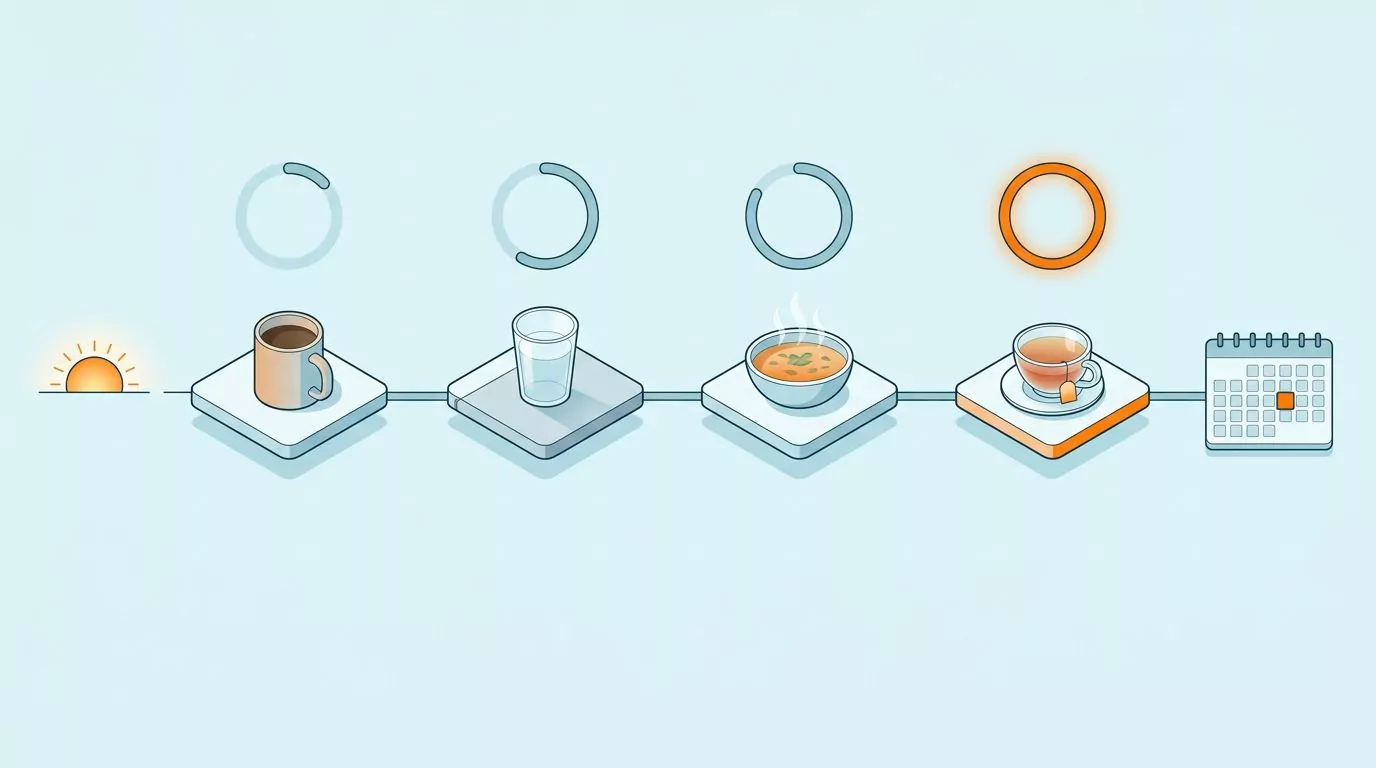
Log at the moment. Log when the cup is in your hand or just empty, not when you remember later. Memory rounds everything toward a flattering total.
Use round numbers. Decide your sizes once: a mug is 250 ml, a bottle is 500 ml, a bowl of soup is 300 ml. When you compare days, being consistent matters more than being precise.
Pair logging with a cue you already have. Habit stacking means attaching a new action to an old one, so the old one does the remembering. Three cues hold up well on busy days:
- The first coffee of the morning. Log it while the mug is still hot, then pour a glass of water to sit beside it.
- Sitting back down at the desk after lunch. This is the gap most logs show, so make it the moment to log lunch and refill your bottle.
- The kettle going on mid-afternoon. While it boils, log whatever you drank since lunch.
Keep the bottle in your sight line and the goose in your pocket, and logging soon stops feeling like a task.
When to stop tracking
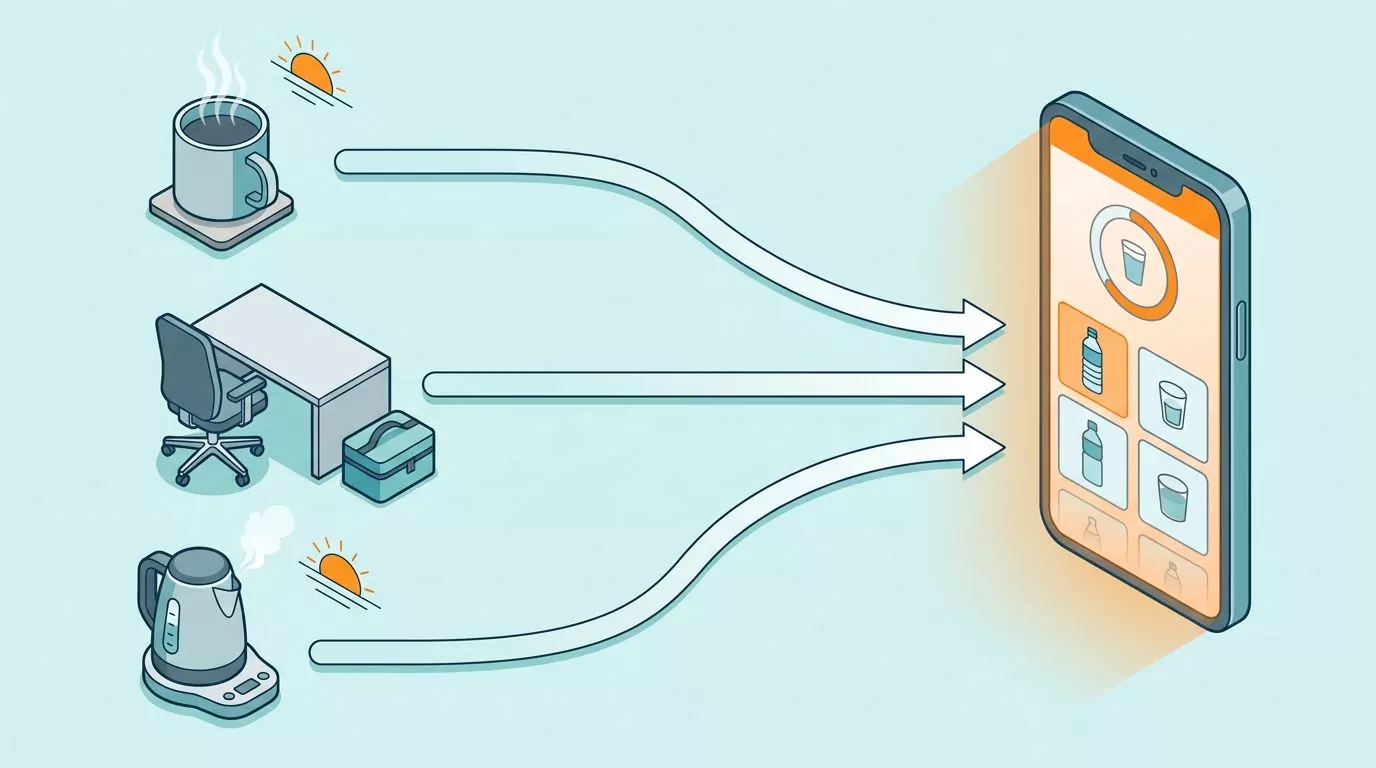
Water Goose, a paper log and every other method here are habit tools, not scoreboards. The point was to learn your pattern and fix the part that needed fixing. Once that is done, logging every sip adds very little.
A good sign is when one week's history looks like the last one: similar totals, the same days near your goal, and no big afternoon gaps. At that point, go lighter. Log only on unusual days, check the history once a month, or stop and keep the cues that worked.
Going lighter does not mean the habit goes away. The bottle on the desk and the drink after lunch keep doing the job the log was teaching them to do.
Pick it back up when life changes, such as a new job, a new exercise routine or a move. If a hot spell is the reason, hydration in hot weather covers what shifts. Tracking that ends because you no longer need it is a success, not a lapse.
Frequently Asked Questions
How do I track water intake on iPhone without installing an app?
If you are working out how to track water intake on iPhone with nothing new installed, use the Health app. Open Health, tap Browse, find Water under Nutrition, then tap Add Data and enter the amount. It keeps a private record and shows totals over time, but each entry takes several taps, it logs plain water only, and it has no water reminders.
Do coffee and tea count when I track my water intake?
Yes, in general wellness terms. Everyday coffee and tea are mostly water, and for most people a normal amount adds to daily fluid rather than cancelling it out. Log them as what they are so your history stays honest, and see does coffee count towards water intake and does tea count as water intake for the details, including how caffeine fits in.
Can I track water intake without paying for an app?
Yes: marks on a bottle, a paper log and Apple Health's water entry cost nothing extra, and many water apps have a basic tier that costs nothing, with paid extras on top. A week on paper is a cheap way to find out whether tracking helps you before you pay for anything. Water Goose is free to download; saving drinks and your history need Water Goose Plus, a monthly subscription or a one-time purchase.
Is there an app that tracks water intake automatically?
Partly. Smart bottles such as HidrateSpark record sips from that one bottle, and wearables mostly still ask you to log by hand, so the coffee you bought on the way to work goes unseen. Water Goose logs manually by design: tap the drink, pick the amount, confirm, which takes a few seconds per drink and covers coffee, tea and soup as easily as water.
Is there a printable water intake log?
Yes, and paper is the simplest way to try tracking before you commit to anything. The Printable Water Tracker page has sheets you can print and fill in by hand.
Do I need to track water intake every day?
No. Two or three weeks of daily logging is usually enough to show your pattern, such as a dry afternoon or a weekend drop, and tracking forever tends to turn a helpful check into a chore. After that, log on unusual days or check in once a month, and start again when your routine changes.
This article is general wellness information, not medical advice. If you have a health condition that affects how much you should drink, follow your doctor's guidance.
If you want the quick version of everything above, Water Goose is available now on the App Store for iPhone. Set a goal, log a few ordinary days, and see what your own pattern looks like.